
If you’ve ever wondered why your WordPress URLs look messy—something like this:
yourwebsite.com/?p=123
—don’t worry, it’s not just you. By default, WordPress uses a basic permalink format that isn’t very friendly for users or search engines.
The good news? You can fix this in about 10 seconds.
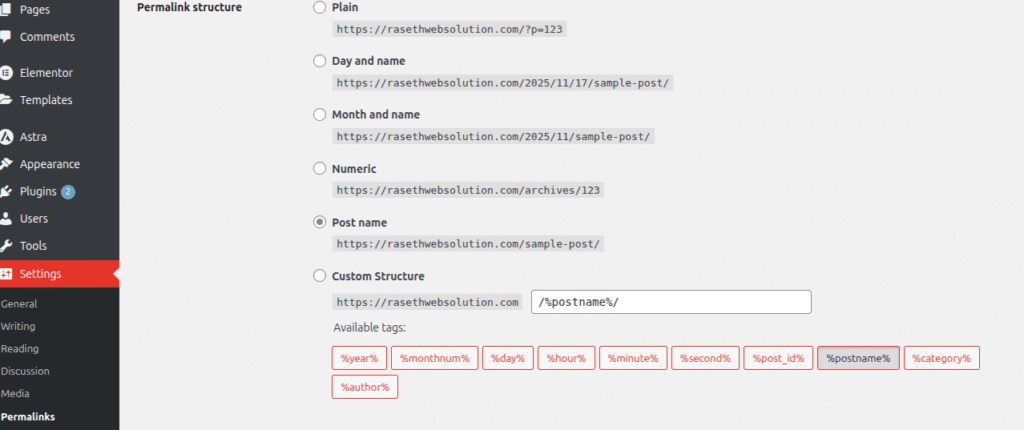
Here’s the trick:
Go to Dashboard → Settings → Permalinks and change the structure to Post name.
Once you save, your links will look much cleaner, like:
yourwebsite.com/my-awesome-blog-post
This makes your site look more professional, helps with SEO, and makes your content easier to share.
It’s a tiny change, but it’s one of the fastest ways to improve your WordPress site without installing a single plugin.
Give it a try—you’ll thank yourself later.